Android APK
Use the Android APK for direct installation on Android devices.
Download Android APKDownload ZBEVPN Release 5 — Build 4.6.6 for Windows and Android. Release 5 adds IKEv2/IPsec as another selectable VPN protocol alongside the existing WireGuard and Zclipse choices. Windows installer, Android APK, offline release bundle and published SHA-256 checksum files are available below.
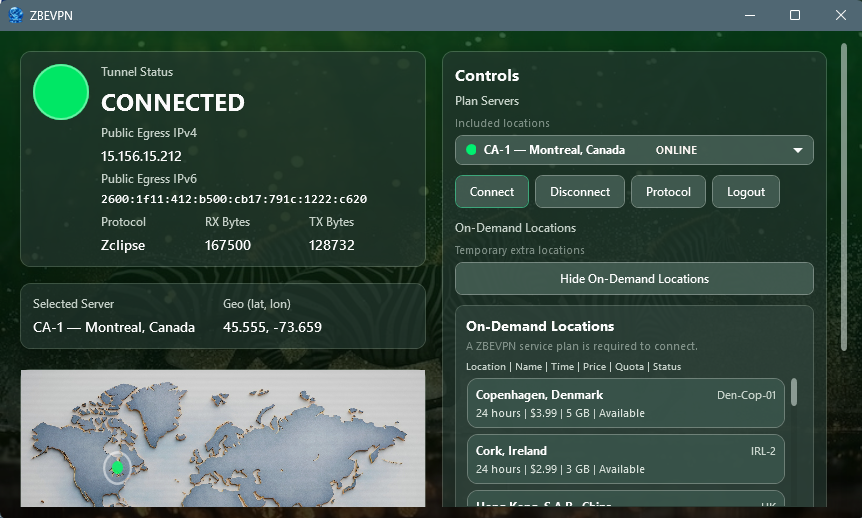
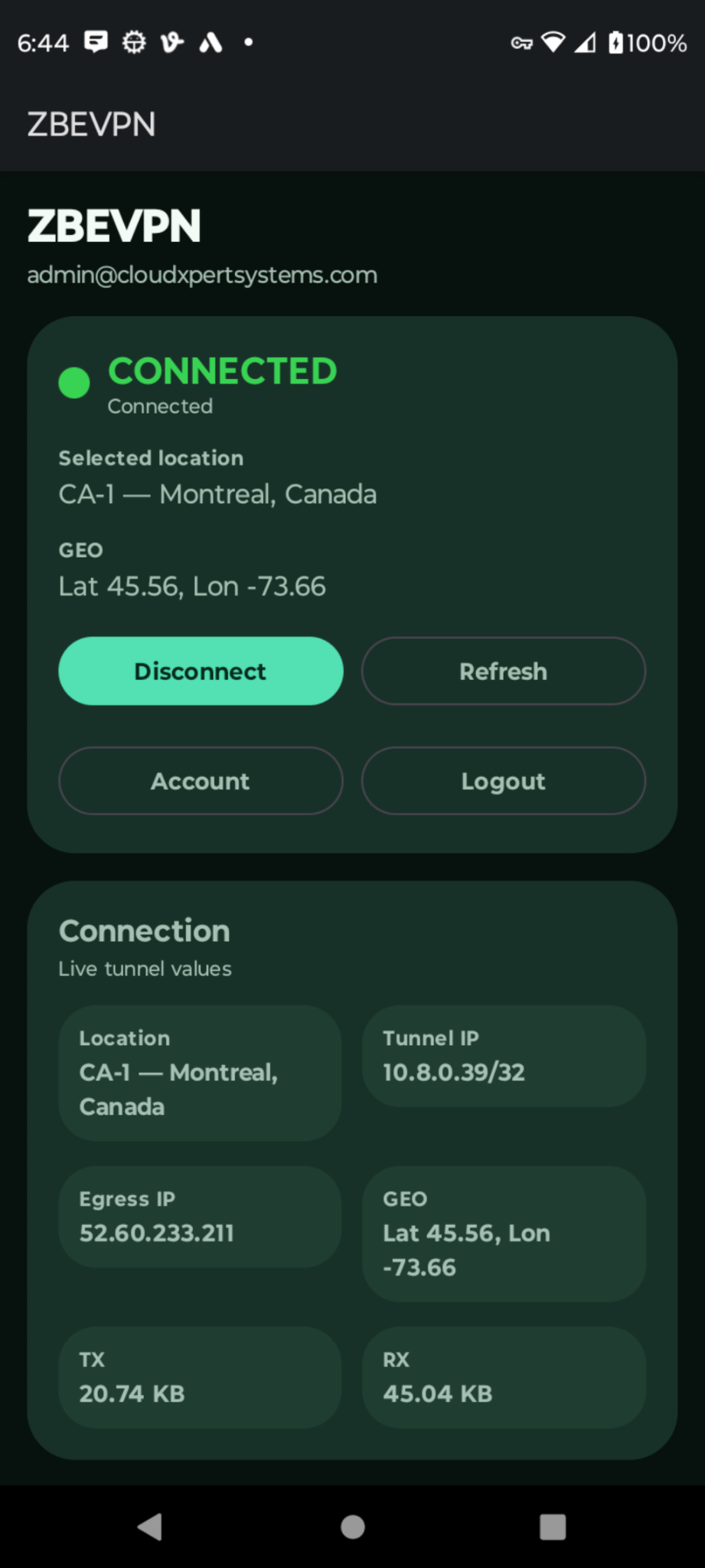
ZBEVPN is the Windows and Android VPN product published by Cloud XpertSystems. Official product information is published on cloudxpertsystems.com, while official downloads, guides and verification pages are published on vpn.cloudxpertsystems.com.
If a search engine suggests a similarly named VPN, use the exact spelling ZBEVPN and verify that the result points to Cloud XpertSystems or one of the official ZBEVPN marketplace listings.
We do not ask visitors to rely only on feature descriptions. In a documented August 26, 2026 Windows test, IPLeak independently observed ZBEVPN IPv4 and IPv6 VPN egress at the selected Canadian VPN location. IPv6 was the browser's active default path and IPv4 remained available as fallback. BrowserLeaks independently reported WebRTC Leak Test - No Leak and displayed the ZBEVPN public IPv4 and IPv6 addresses rather than the baseline ISP public address.
The published verification page includes the redacted baseline, connected results, test methodology, independent-service screenshots, and reproduction steps.
Review the independent IPv4, IPv6 and WebRTC verification evidence
Major new feature: IKEv2/IPsec VPN support. Release 5 introduces IKEv2/IPsec as a new selectable VPN protocol for supported ZBEVPN locations while preserving WireGuard and Zclipse.
What's new in Build 4.6.6
Core functional testing has exercised endpoint selection, temporary credential issuance, tunnel establishment, Internet routing, disconnect/reconnect and protocol switching across multiple VPN locations. Broader device, network, lifecycle and regression testing remains part of normal ongoing release validation.
ZBEVPN includes Kill Switch protection designed to restrict covered traffic when the protected VPN path is unavailable. WireGuard, IKEv2/IPsec and Zclipse determine how the protected connection is carried; the Kill Switch controls fallback behavior if that protected path is lost.
ZBEVPN 4.0 introduces Zclipse, ZBEVPN’s new enhanced protection mode. Zclipse adds an extra shield around the VPN connection and strengthens protection for data in transit. Users can now choose between fast Direct WireGuard mode and enhanced Proxy-WireGuard protection.
Use the Android APK for direct installation on Android devices.
Download Android APKUse the published SHA-256 values below to verify the Windows installer, release bundle, and Android APK.
SHA256SUMS.txtUse these values to verify the current release files. You can also download the raw checksum files directly.
Confirm the Cloud XpertSystems product identity, official downloads, checksums and published network-verification evidence.
Checksum file for the Windows installer and release bundle.
Loading current Windows checksum file...
Checksum file for the published Android APK.
Loading current Android checksum file...
With ZBEVPN, selecting a location means connecting through actual physical infrastructure in that location. Our location list is not built from virtual locations or distant gateways carrying unrelated country names. Every available location represents a genuine ZBEVPN deployment.
Choose Madrid and connect through Madrid. Choose London and connect through London. Choose Singapore and connect through Singapore. The location displayed in the application reflects where your VPN connection actually operates.
ZBEVPN gives you clear, honest location information before you connect. Physical locations are identified directly in the application, and on-demand locations remain genuine physical deployments that start only when requested.
Use the official Android store listing for your device and market.
ZBEVPN needs a stable internet connection to download, sign in, request a VPN profile, and keep the tunnel active. If your Wi-Fi, hotspot, hotel network, mobile signal, or broadband connection is unstable, ZBEVPN may appear to fail even when the VPN service is working correctly.
If you are deciding whether to install, verifying a connection, or troubleshooting a symptom, use the focused guides instead of changing settings at random.
What it does, how it behaves when a tunnel drops, how to use it in ZBEVPN and how to test it.
Separate local internet, DNS, routing and captive-portal problems.
Check Wi-Fi stability, network transitions, sleep and roaming.
Understand distance, congestion, Wi-Fi quality and protocol effects.
Why shared IPs, reputation systems and CAPTCHAs can appear.
Confirm the before-and-after network address.
DNS, IPv6, IP and WebRTC verification.
Cloud XpertSystems does not process, store, or have access to full credit card numbers, CVV codes, or bank authentication details.
When you purchase ZBEVPN through Google Play, Aptoide Store, or Uptodown, payment processing is handled by that marketplace's billing system.
When you purchase ZBEVPN directly from our website, payment processing is handled by Stripe, an independent third-party payment processor that is not owned or operated by Cloud XpertSystems. Stripe is commonly used by businesses to securely process online payments.
Start small with Iota Monthly at $1.99/month for 5 GiB, step up to Pass Monthly at $2.99/month for 10 GiB, or choose a larger monthly or prepaid plan if you connect more often.
Light users should consider Iota or Pass. Regular travelers and public Wi-Fi users should consider Snip, Bargain, Casual, or Basic. Longer-term users can use Budget 3 Months, Basic Semi-Annual, or One Year Easy for prepaid access.
View full pricingUse the product page for ZBEVPN pricing, subscription terms, refund policy, technical qualities, and the official product overview.
Open the product page for pricing, refund terms, product details, and the official overview.
Questions about hotel Wi-Fi, ISP visibility, remote work, banking, private calls and what a VPN really protects are collected in the Privacy Explained guides.
What does a VPN protect? · Can the Wi-Fi owner see what I browse? · Is hotel Wi-Fi safe?